When is what executed?
When writing code for you next calculator, it can be strange the way it runs. The order in which each block of code is executed can be hard to understand and make things more difficult than they need to be.
To help you undersand better what is going on and how to take advantage of it, we have created this text. We will go into the different types of code block, organized by what they do, rather than proximity. We will see which pieces of code get executed when and also why that is.
Let’s get going!
Blocks of code
We will make a first major distinction of your code between regular javascript and omni-specific javascript. Anything that starts with the keyword omni or that is inside a function that starts like that will be considered
omni-specific and the rest is regular javascript.
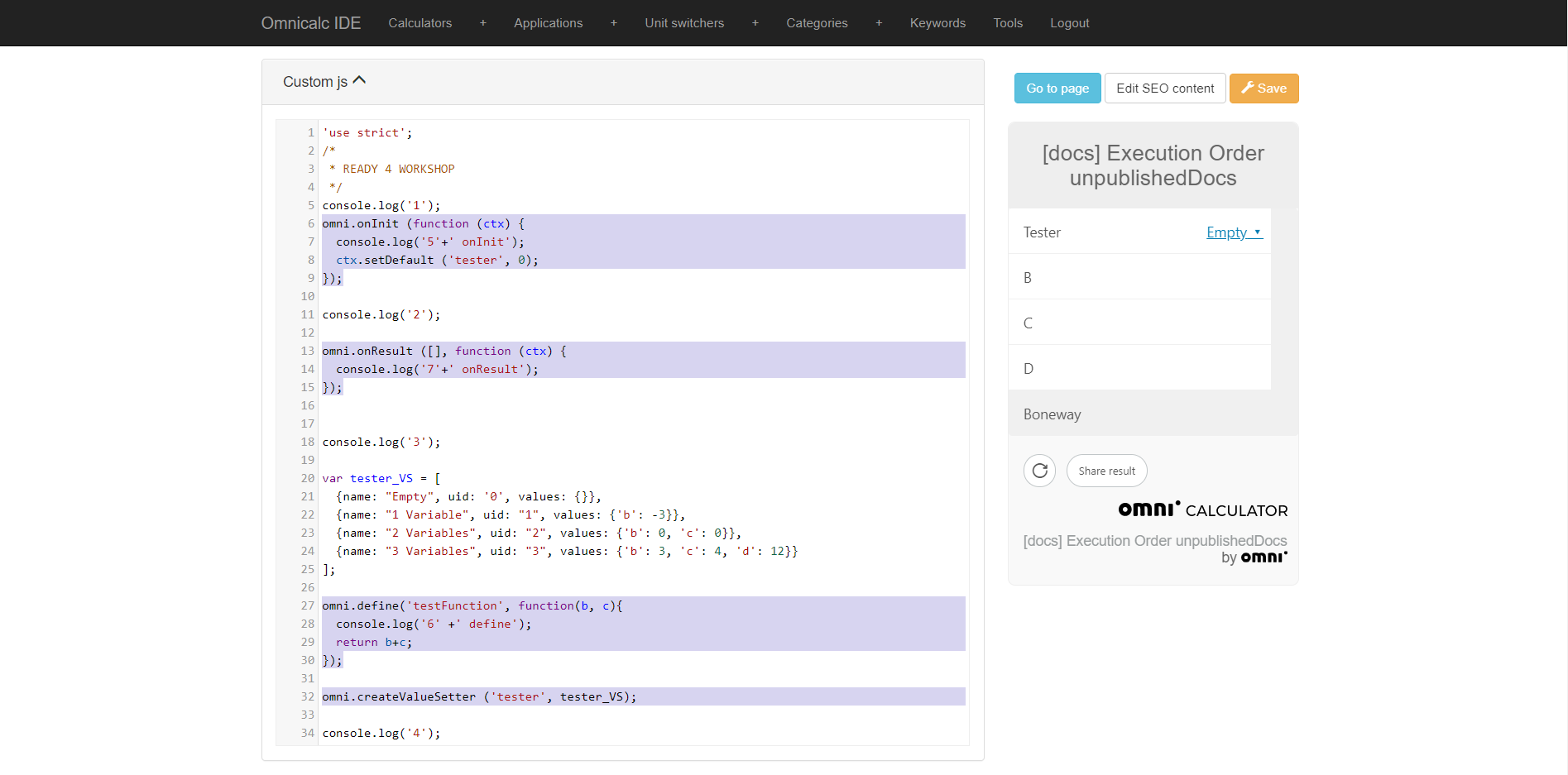
Highlighted text is the omni-specific code
Omni-specific code is what connects our customJS with the calculator the user sees and interacts with. Among these functions we find onInit, onResult and define and createValueSetter. Due to their importance we will consider them individually when talking about the order in which the code is executed.
Loading the calculator
When the website gets loaded and the calcualtor is initialised, only certain parts of the code will always be executed.
First of all, regular javascript gets executed before any other part of the code. It only gets executed once and the program skips over any omni-specific code. The code gets executed from top to bottom.
We can consider omni.createValueSetter as being executed at this time too. It is not fully clear when it is exactly executed, but it also doesn’t make any difference to us. What matters is that any Value Setters created in your customJS will be run when loading the calculator, as long as it is not inside omni.define or omni.onResult.
After the regular javascript code is fully executed, onInit gets triggered and all the actions performed inside of it are executed. It does not matter if they are connected directly to the calculator (via ctx) or if they are standard javascript statements. Everything inside omni.onInit gets executed from top to bottom.
If we have any default values set in the Current Variables tab, they will also be set at this point.
Using the calculator
Once the calculator is fully loaded and presented to the user, the code previously mentioned does not get run again, unless the user click on the reload button. What happens now depends entirely on the input by the user.
The functions omni.onResult and omni.define will be executed according to user input and to the conditions we have set for them. Beware that they could be triggered more than once in the same step.
Our custom functions created using omni.define will be ran whenever all of its inputs have a defined value, and again every time there is a change in any of them. If any of the inputs is (or becomes) undefined your custom functions will not be executed.
The conditions for omni.onResult are set inside the [] part of the function call. It is not necessary to include the triggering variables as an input to the function. The code inside omni.onResult will be executed last and will be executed once for every change in a variable’s value, as long as that variables is a trigger.
Special cases
This rules we mentioned have no exceptions, but there are certain behaviours or situations that we need to be mindful about, since they can seem like completely different rules for their execution.
If we set Values Selects/Setters as conditions for triggering omni.define or omni.onResult we need to remember that they might become undefined due to unexpected inputs in other variables and therefore stop the execution of our code.
More importantly, Value Setters can change the values of many variables at once. The result is that if more of those affected variables triggers omni.onResult we will end up executing the same code many times (one per triggering variable associated with the Value Setter) with one user input. This will make our code unnecessarily slow and might cause our computations to take an unreasonable amount of time to complete.
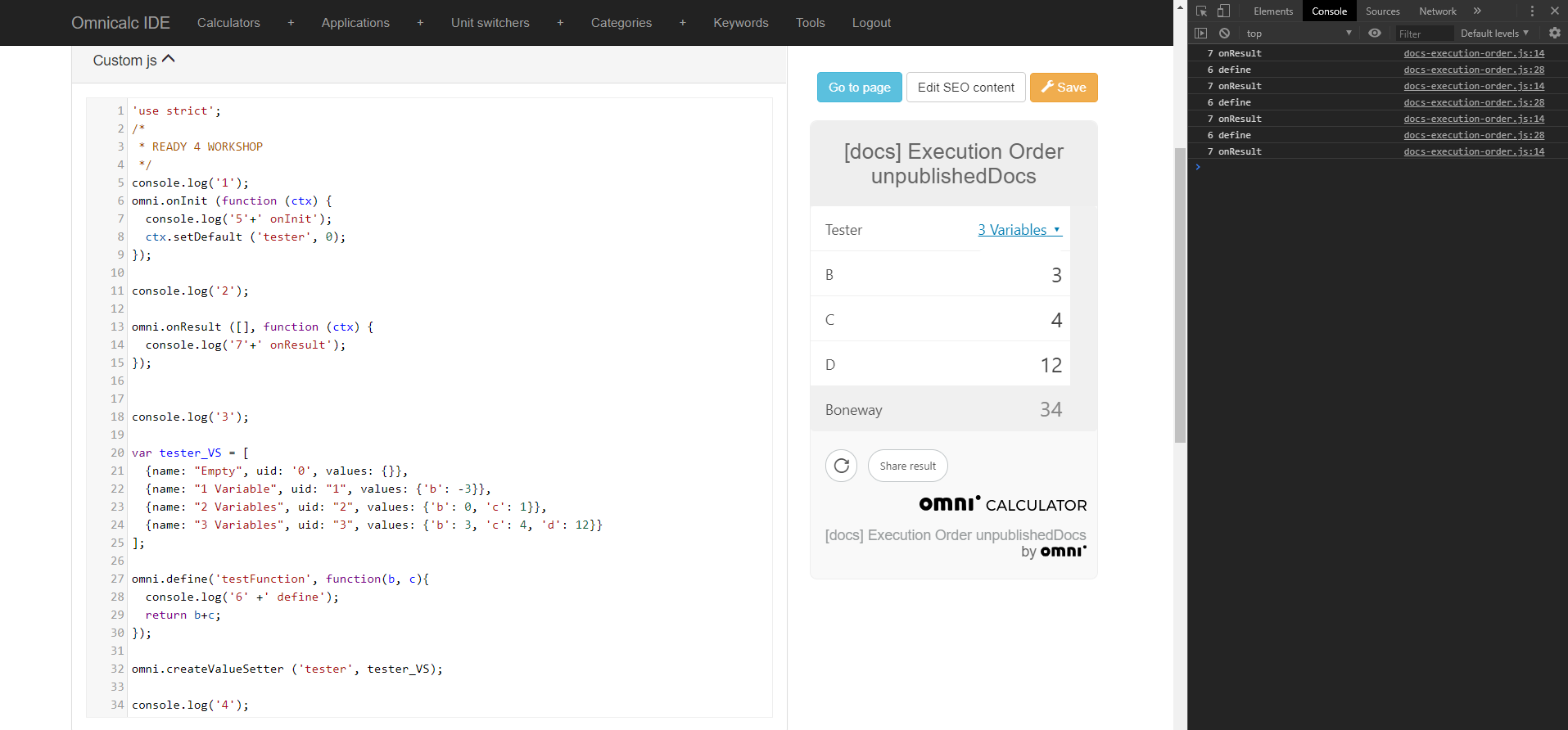
We will talk more about how Value Setters work in the future but for now all you need to know is that they become undefined, then change the values of all the affected variables and finally they are assigned the corresponding value (its uid) after all the variable values have been set.
It is for that reason that if we have a Value Setter that controls many variables that should trigger onResult it is worth considering to set the actual Value Setter as the triggering variable.
tl;dr
Code outside of
omnifunctions (from top to bottom)omni.createValueSettergets run as part of the “outside code” in whatever order it is placed.omni.onInitgets executed once, when the calculator loads (could triggeromni.onResult)omni.defineall custom functions get executed if the required variables are notundefined(could triggeromni.onResultomni.onResultgets triggered after a change in the value of the triggering variables. It is executed once per change and per variable. If more than oneonResultis triggered, they run from top to bottom