SEO Check
The calculator text editor page has a number of SEO (search engine optimization) features that check that your calculator is the best it can be so Google will find it and rank it highly on its results page.
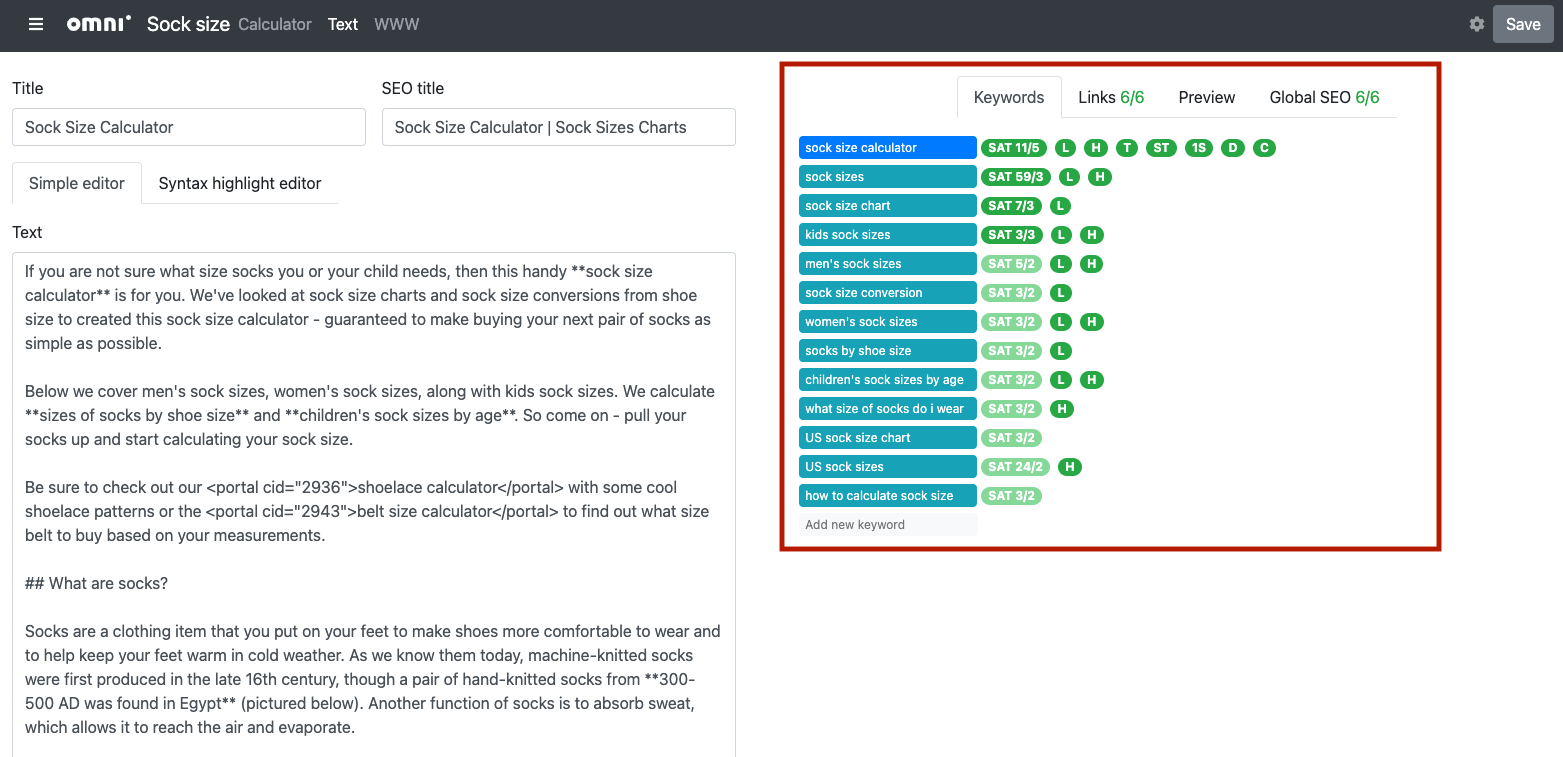
The SEO check tools are location on the right-hand side of the calculator text editor page.
There is the Keywords tab, where you list the keywords associated with this calculator. The SEO checker then makes sure your text has the right keyword saturation, keywords in headings, titles, description, etc.
The Links tab is where you can add and easily insert links to other related calculators.
The Preview tab gives you a preview of the rendered HTML, so you can check you have the right formatting, etc.
Finally, there is the Global SEO that performs other checks on your text, such as length, bullet list quality and alt text for images.
Warning
The SEO checker takes a few seconds to run when you first open the calculator text editor page. Give it a chance to finish running before drawing any conclusions from the SEO checks.
To learn more about each of these tabs, use these links: